Teleport
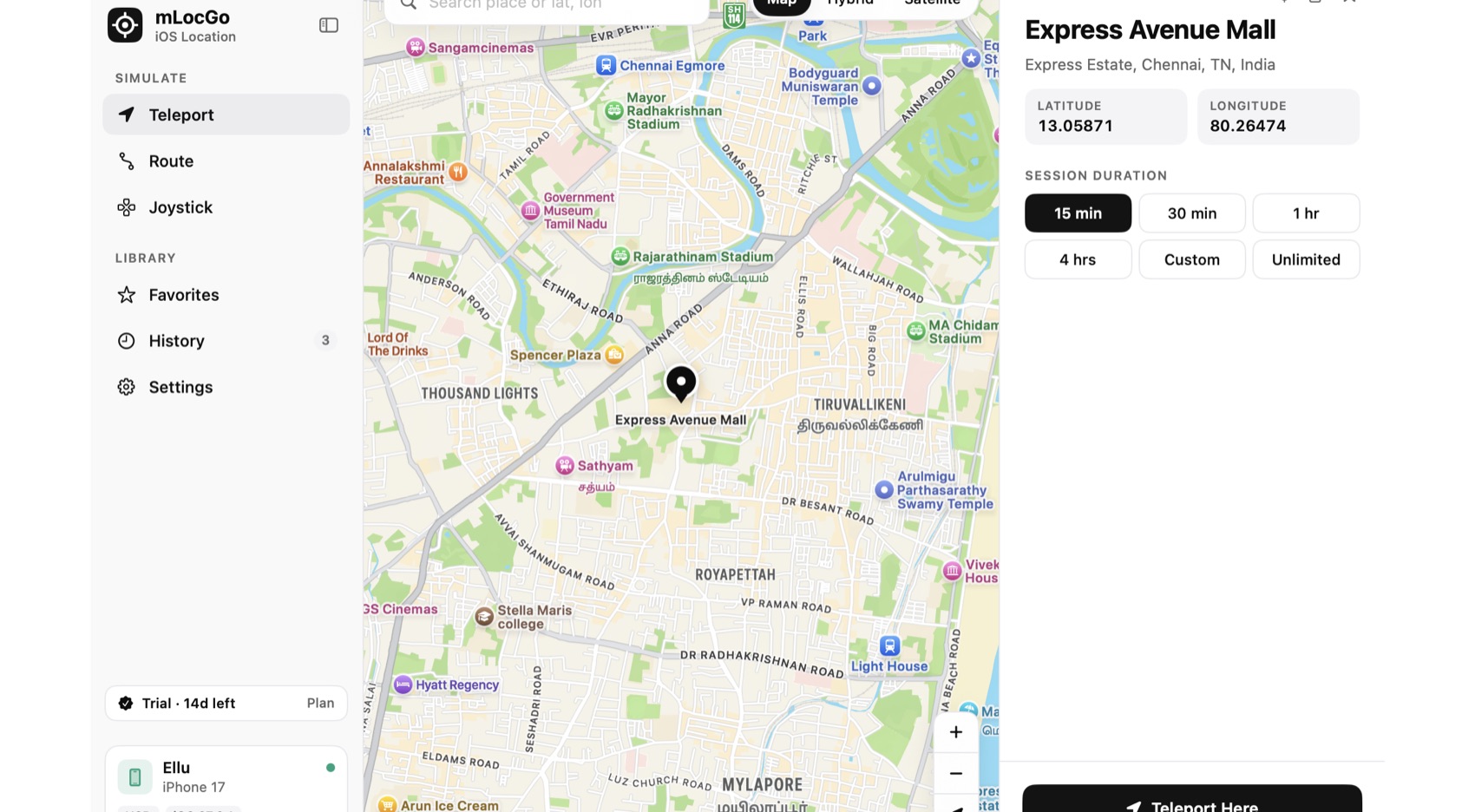
Search any address, paste coordinates or a Maps link, and update your connected iPhone with one click.
- Search by place or latitude and longitude
- Satellite and hybrid map views
- Session timers from 15 minutes to unlimited
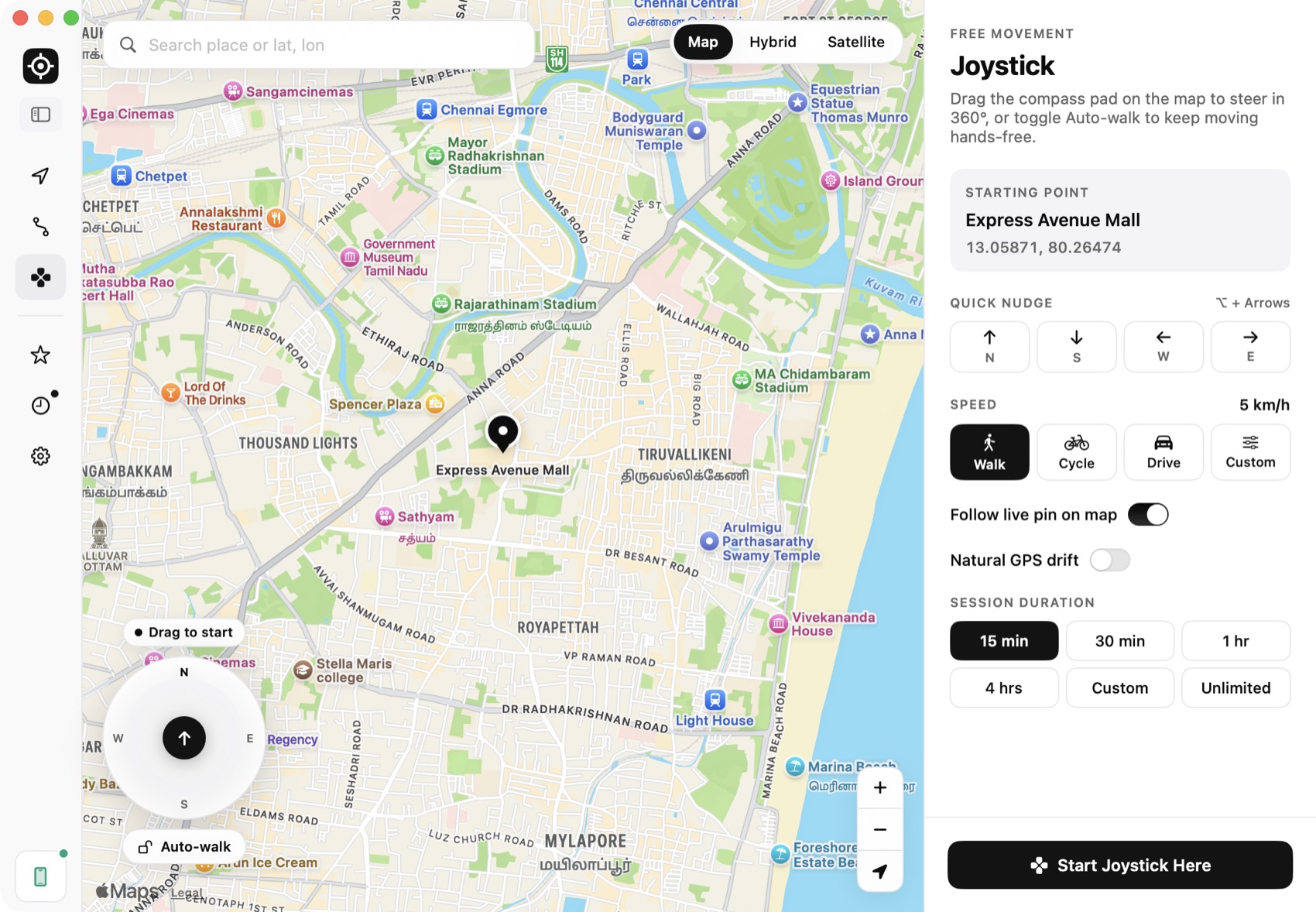
Teleport to any place, follow a route along real roads, or steer with a joystick, over one USB connection. Restore your real location any time, free.

Features
Everything works from a simple Mac window with a map.
Search any address, paste coordinates or a Maps link, and update your connected iPhone with one click.
Build two-stop or multi-stop routes that follow real roads, at walking, cycling or driving speed.
Steer live in 360 degrees with an on-map compass pad, or switch on Auto-walk to keep moving hands-free.
Save the places you use most, see where you've been, and put your real location back with one click.

mLocGo bundles everything it needs. Turn on Developer Mode on the iPhone, trust your Mac, and you're ready. No Python, Homebrew, Xcode or admin password.
Who it's for
Download the DMG, open it and drag mLocGo to Applications. First launch: right-click the app and choose Open.
Plug in over USB, unlock the phone, tap Trust and turn on Developer Mode. mLocGo walks you through it.
Search a place, click the map, plan a route or use the joystick, then pick how long the session should last.
Click Restore Real Location, quit the app, or let the timer end. Your real location comes back.
Responsible use
mLocGo uses Apple's developer location service. iOS records the result as a simulated location, and mLocGo does not hide that.
Apple Maps, Google Maps and Weather's My Location followed it in our tests.
Some apps check for simulated locations and reject them. That is their choice.
It is not built for games or to mislead anyone. Follow every app's rules.
Use mLocGo only where you are allowed to. The simulated place ends when the connection closes, so keep your iPhone connected for the whole session.
Pricing
Try your first location change free. Renewals are manual, so there are no automatic charges.
See that it works with your own iPhone before you pay.
Everything, with the flexibility to stop any time.
Everything in Monthly for a full year. Save over 70% versus monthly.
Sign in or create your account, pay, and submit your transaction reference. Access activates once verified.
mLocGo is a Mac app that sets a temporary location on your iPhone over USB. Pick a place on the map, jump there, follow a route or steer with a joystick, then restore your real location any time.
Developers, testers, and anyone who needs to see how an app behaves somewhere else, for lawful and authorised use.
macOS 15 or later. It has been verified on an iPhone 17 running iOS 27.2.1 with Developer Mode on. iOS 17 and later may work; iOS 16 and earlier are not supported.
No. mLocGo uses Apple's own developer location service. You turn on Developer Mode on the phone and trust the Mac.
Yes. Your first successful location change is free. After that, choose a monthly or annual plan.
Monthly is ₹299 or $4.99 and annual is ₹999 or $14.99. Renewals are manual, so there are no automatic recurring charges.
Yes. Restore Real Location never needs a payment, so a simulated location is never trapped behind a paywall.
No. iOS marks developer locations as simulated, and some apps check for that and reject it. Apple Maps, Google Maps and Weather's My Location followed it in our tests, but we cannot promise any other app will.
No. mLocGo does not hide the simulated marker, emulate a GPS accessory or bypass any integrity check, and it is not built for that. Please follow the rules of every app and service you use.
Yes. The simulated place lasts while the Mac holds the connection open. If the cable is unplugged or mLocGo quits, your real location returns. USB is the tested path.
Your coordinates are never stored in the cloud. We keep only your account email and plan details so your licence works. See the privacy page.
macOS 15 or later. Your first location change is free.
First launch: right-click mLocGo in Applications and choose Open, because this release is not yet notarized by Apple.
Questions? hello@mlocgo.com